Skip to content
noxsframe.com
EN
Web builder

How the web builder works

Plan Warframe builds in your browser with live values for every mod, arcane and shard. Here is everything the builder can do, and how to use it.

Free · Discord login to save

Screenshot: Mods & arcanes
Quick start

Your first build in four steps

  1. 01

    Pick your gear

    Choose a Warframe, weapons and companion from the tabs at the top, or start from any item page in the database.

  2. 02

    Add mods & arcanes

    Drag or click mods into the slots. Capacity, polarities and Forma are calculated as in-game.

  3. 03

    Check the numbers

    Every stat updates live: ability values, EHP, DPS per attack, status and more, also against a chosen enemy.

  4. 04

    Save & share

    Save builds to your account, publish them for the community or copy the build code for Discord.

Features

Everything in one place

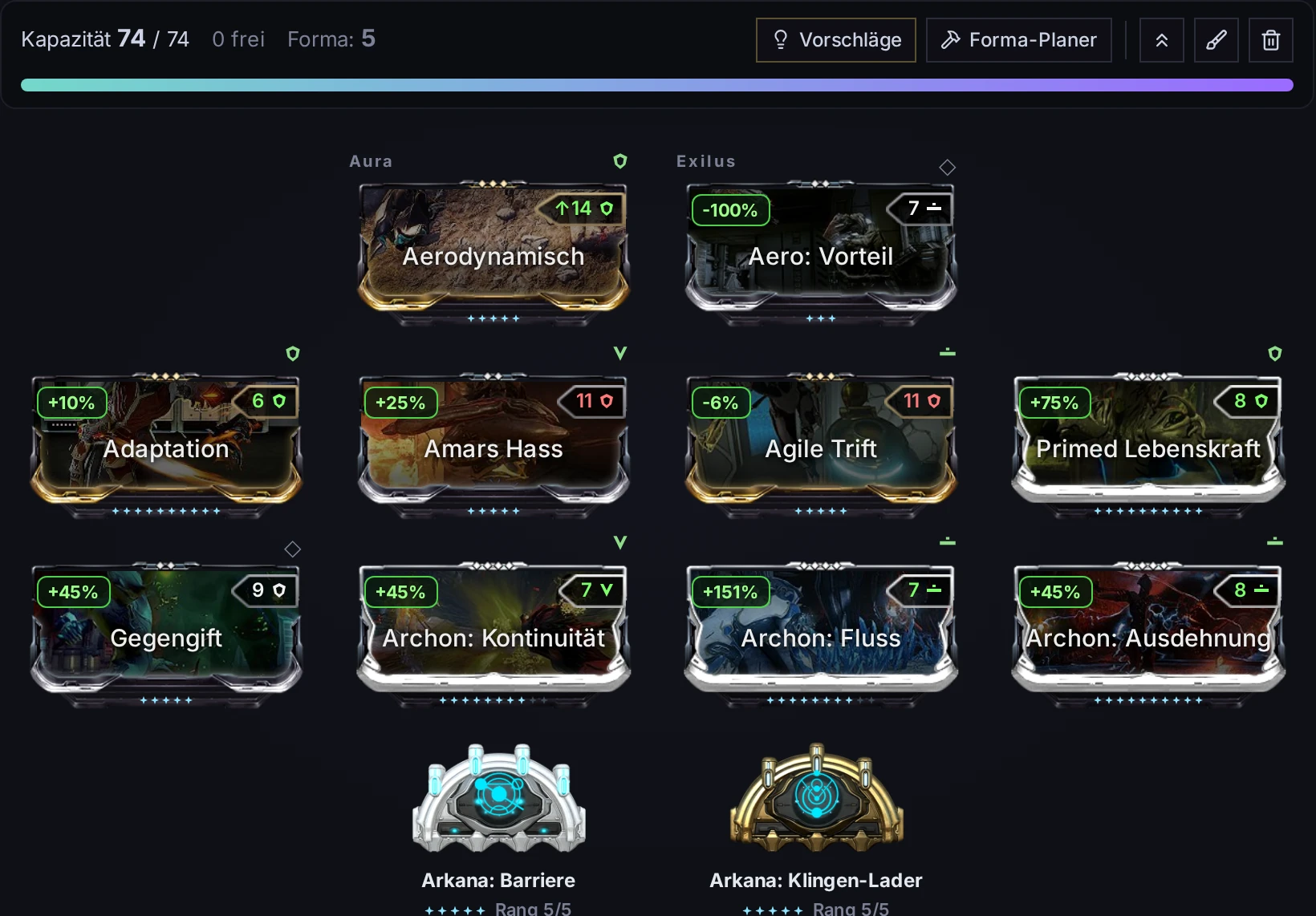
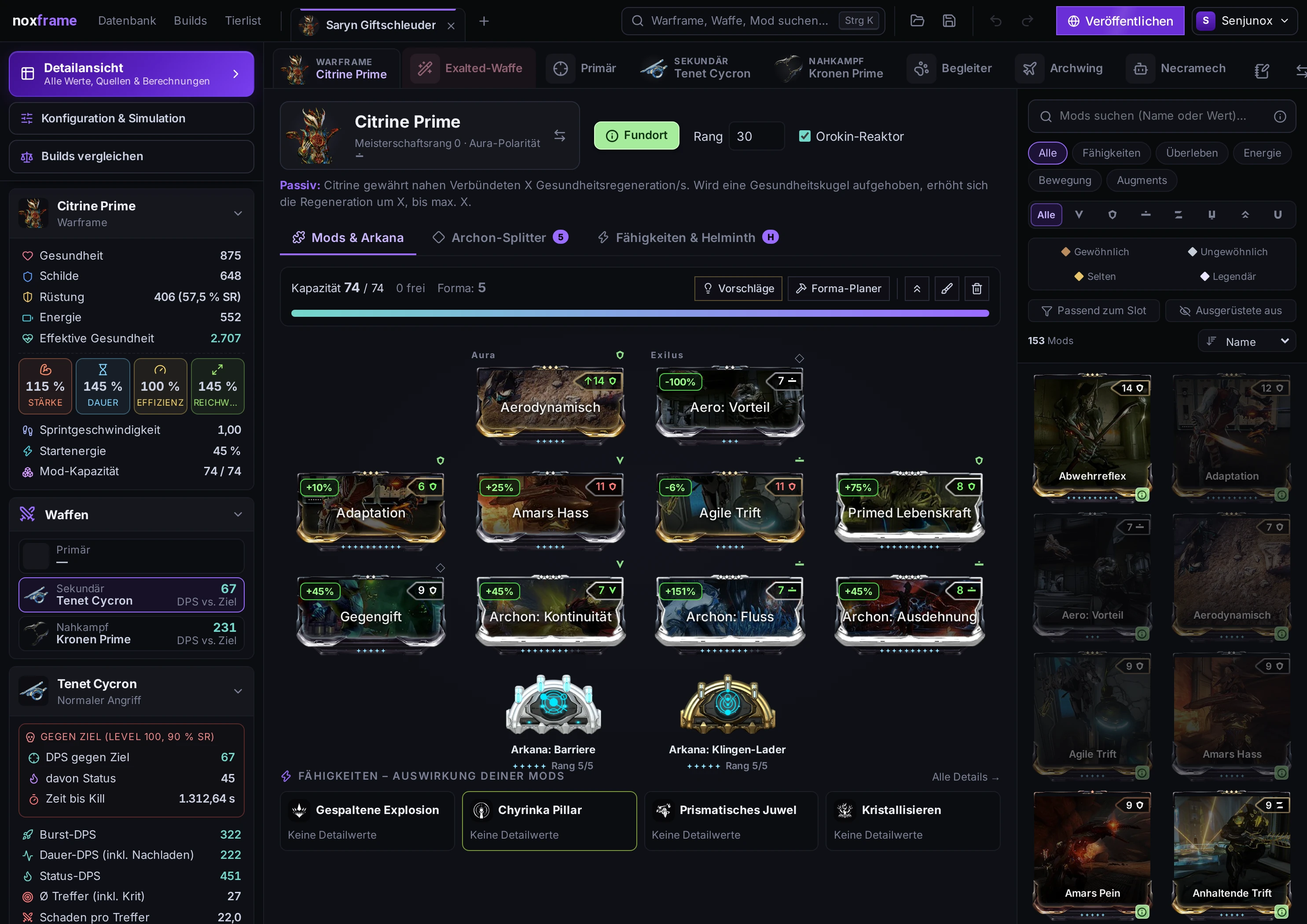
Mods & arcanes

The mod board looks and works like the arsenal: aura, exilus, eight slots and two arcanes. Mod cards show rank, drain and polarity match.

  • Capacity with Orokin Reactor/Catalyst and Forma
  • Filter the mod list by type, polarity and rarity
  • Ranks per mod, arcane ranks up to 5
Screenshot: Mods & arcanes

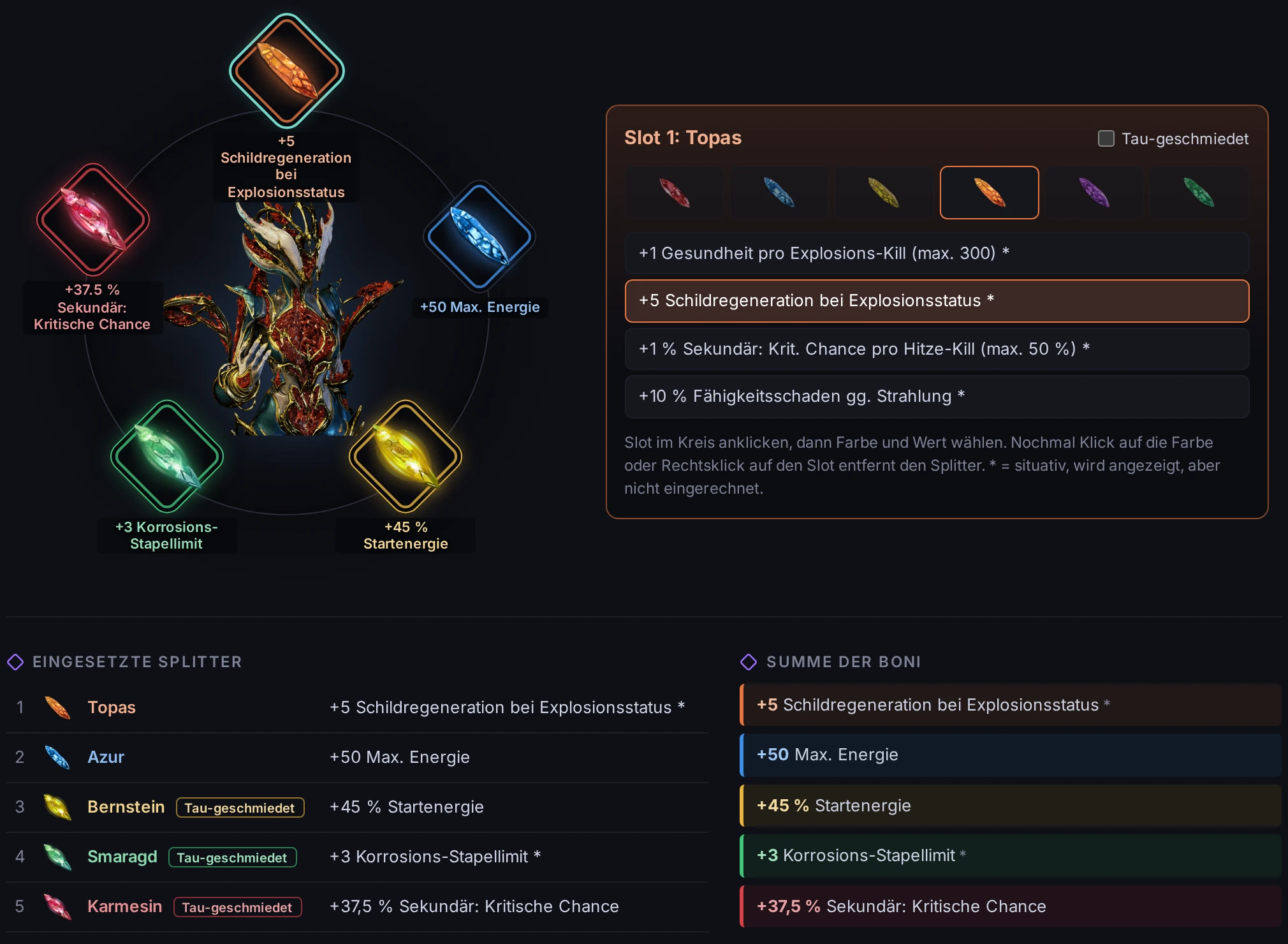
Archon shards

Place up to five Archon shards in the ring around your Warframe, pick colour and bonus, and mark Tauforged shards.

  • All bonuses with normal and Tauforged values
  • Situational bonuses are shown but marked
  • Sum of all bonuses at a glance
Screenshot: Archon shards

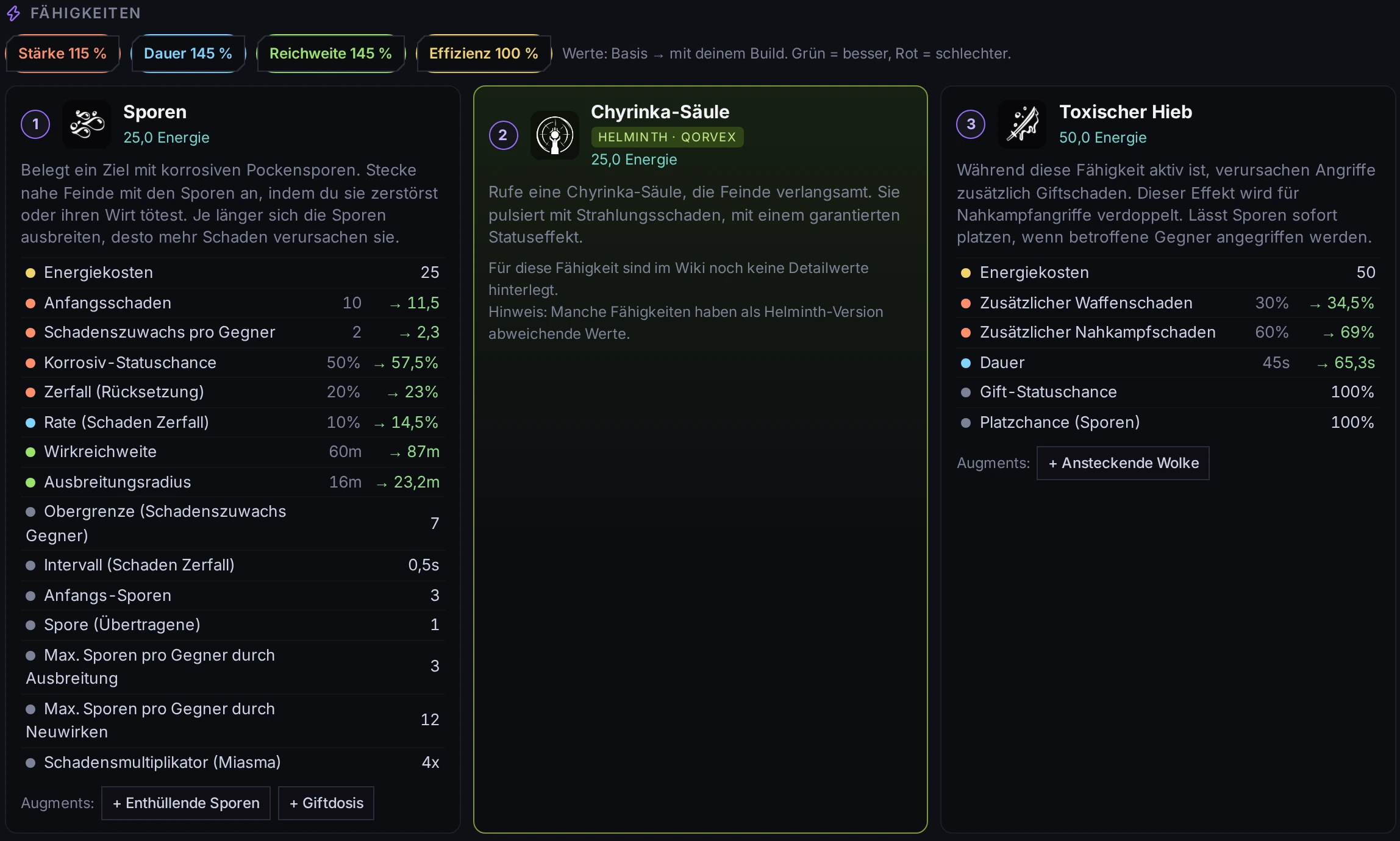
Abilities & Helminth

All four abilities with wiki values, scaled by your strength, duration, range and efficiency. Swap one ability for a Helminth ability.

  • Base value → your value, green or red
  • Helminth abilities and Invigorations
  • Augment mods linked per ability
Screenshot: Abilities & Helminth

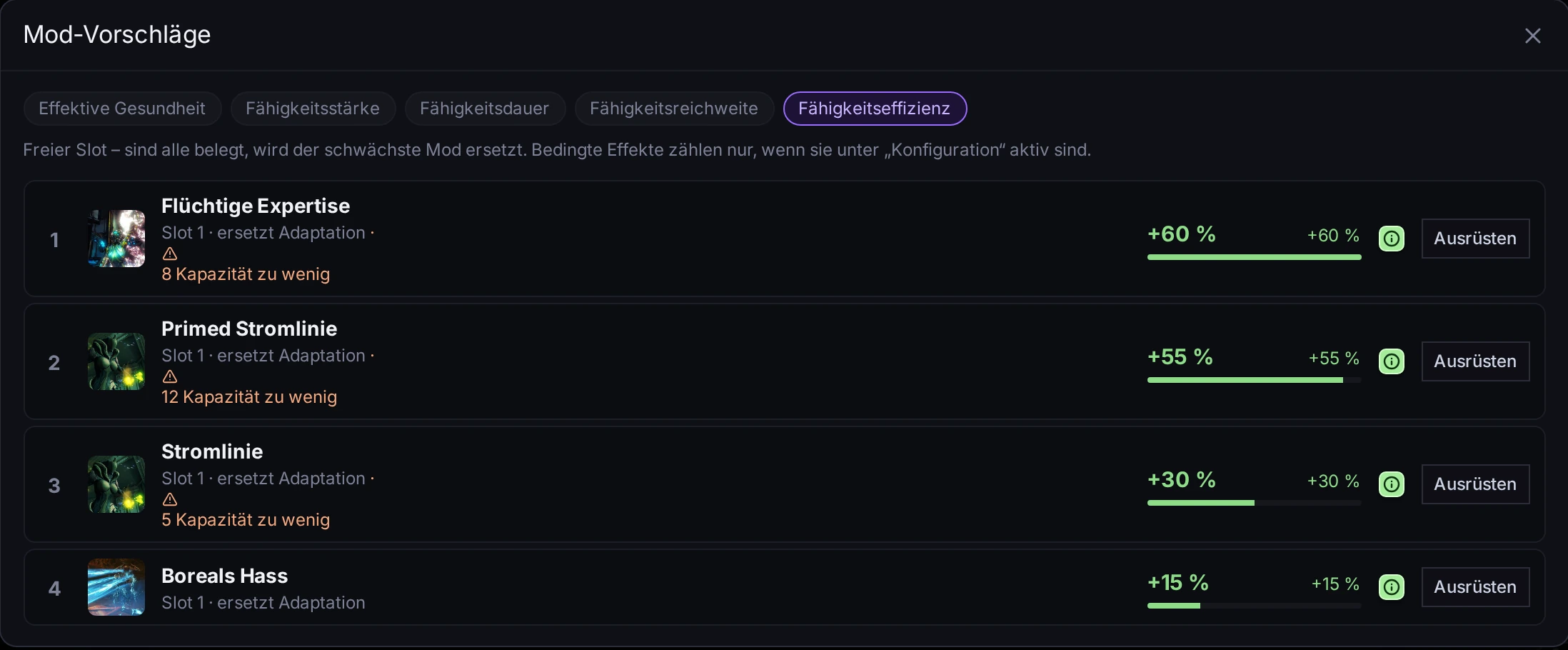
Mod suggestions & Forma planner

Not sure what to add? The builder tests every fitting mod and shows which one improves your goal the most.

  • Goals like strength, duration, EHP or DPS
  • Hints when capacity is not enough
  • Forma planner for the best polarities
Screenshot: Mod suggestions & Forma planner

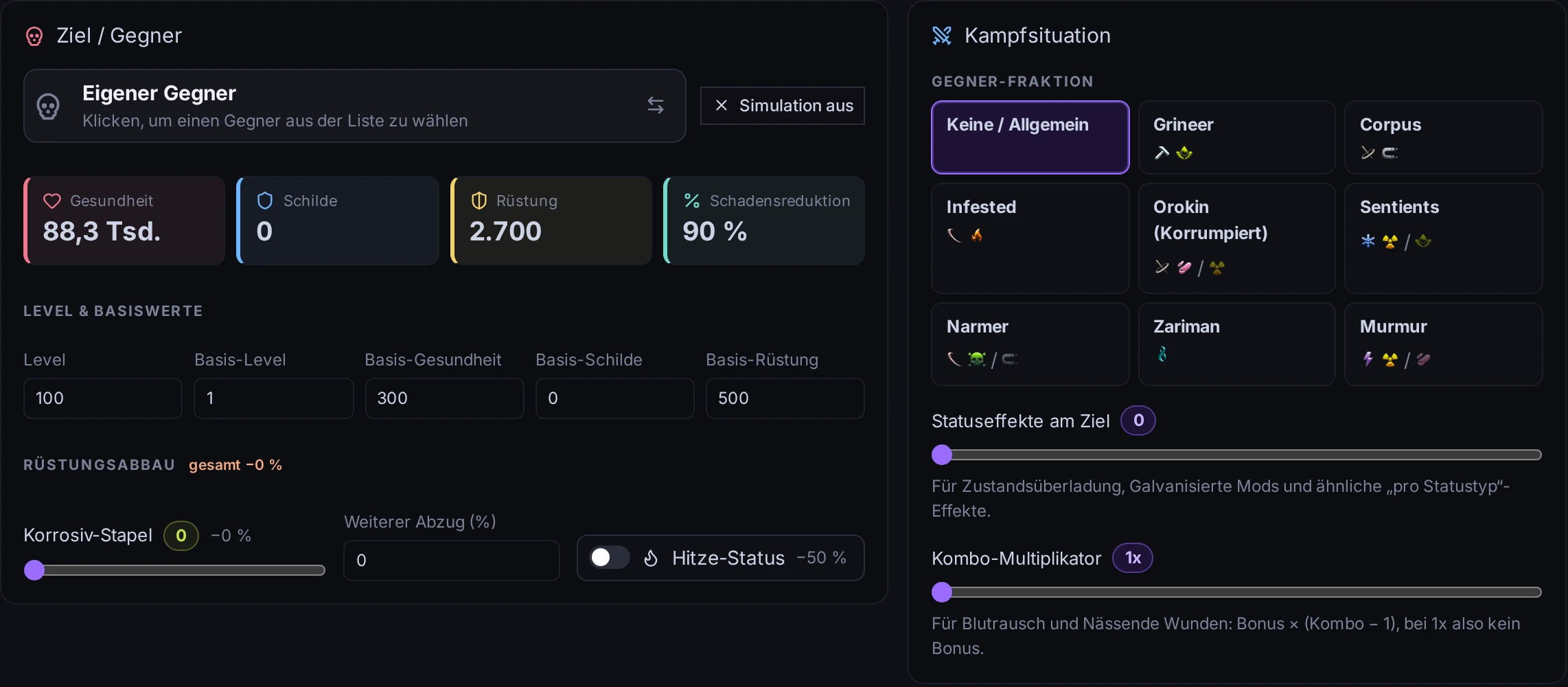
Enemy simulation

Test your build against real enemies: faction, level, armour, shields, armour strip and status effects. DPS and time-to-kill update instantly.

  • Enemies from the game data with level scaling
  • Corrosive stacks, heat and armour strip
  • Conditional effects can be toggled on and off
Screenshot: Enemy simulation

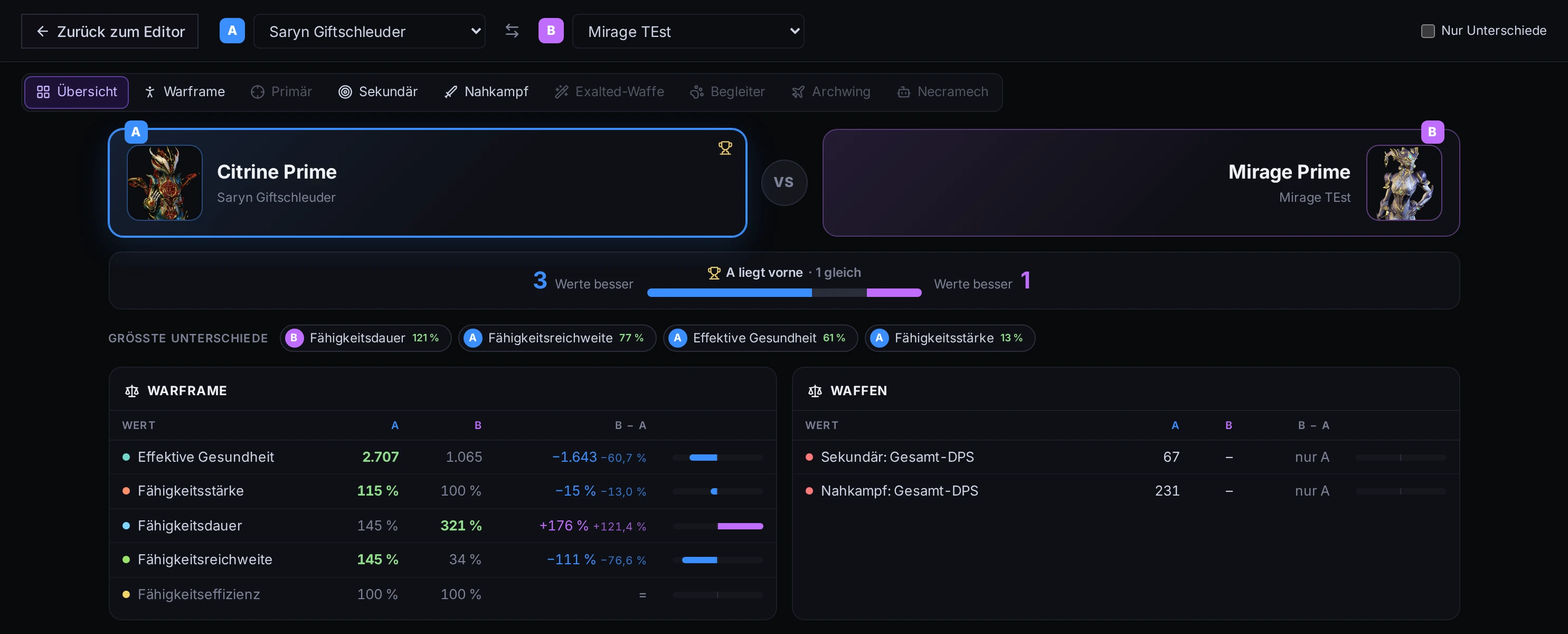
Compare builds

Put two builds side by side and see which values are better, with the biggest differences highlighted.

  • Warframe, weapons and companions
  • Show only the differences
  • Great for testing a mod swap
Screenshot: Compare builds
Features

And a lot more

  • Riven editor

    Build your own Riven with real stats and disposition.

  • Several builds in tabs

    Work on multiple builds at once, with undo and redo.

  • Partial publishing

    Share only the Warframe or one weapon and keep the rest private.

  • Build notes

    Write rotation, Helminth or mission notes with templates.

  • Build code

    Copy a compact code and paste it anywhere to load the build.

  • Desktop app

    The NoxFrameBuilder for Windows 11 runs offline with the same engine.

Ready to theorycraft?

Open the builder in your browser. Free, no install, in 14 languages.

Open the builder